Why Us
Situational Awareness
Common Operating Picture Smart Monitoring & Alerts Live Video & AI Analytics 2D, 3D & Indoor Visualization Map Data Integration
Operations & Response
Map-Based Incident Management NIMS ICS & FEMA Forms Task Management Forms & Reports with AI Collaboration & Communication
Tracking & Integrations
Vehicle & Personnel Tracking IoT & Sensor Integration TAK Field Operations TAK & Satellite Integration Communications Gateway
Platform & Data
Custom Dashboards Asset Management Mobile Data Collection Airport Operations Platforms & Deployment
★ Port Authorities View All Features →
Solutions Overview TAK Field Operations
Port Authorities Airport Operations Public Safety Agencies Sports & Entertainment Venues University & Corporate Campuses Critical Infrastructure Military Base Force Protection
Military Apps Demos New & Coming Pricing
About TechMaven
TechMaven Website ↗ Portfolio ↗ Support ↗ Contact Us ↗
Request Demo
Situational Awareness

Custom Dashboards

Build operator dashboards in the GeoSightOps web app with live stats, map context, and role-based access.

Note: Dashboards can embed external content and partner systems as widgets (maps, CAD/RMS panes, legacy web tools). Screenshots that show third-party panels are demonstrating that integration capability — they are not claiming those UIs are native GeoSightOps apps.
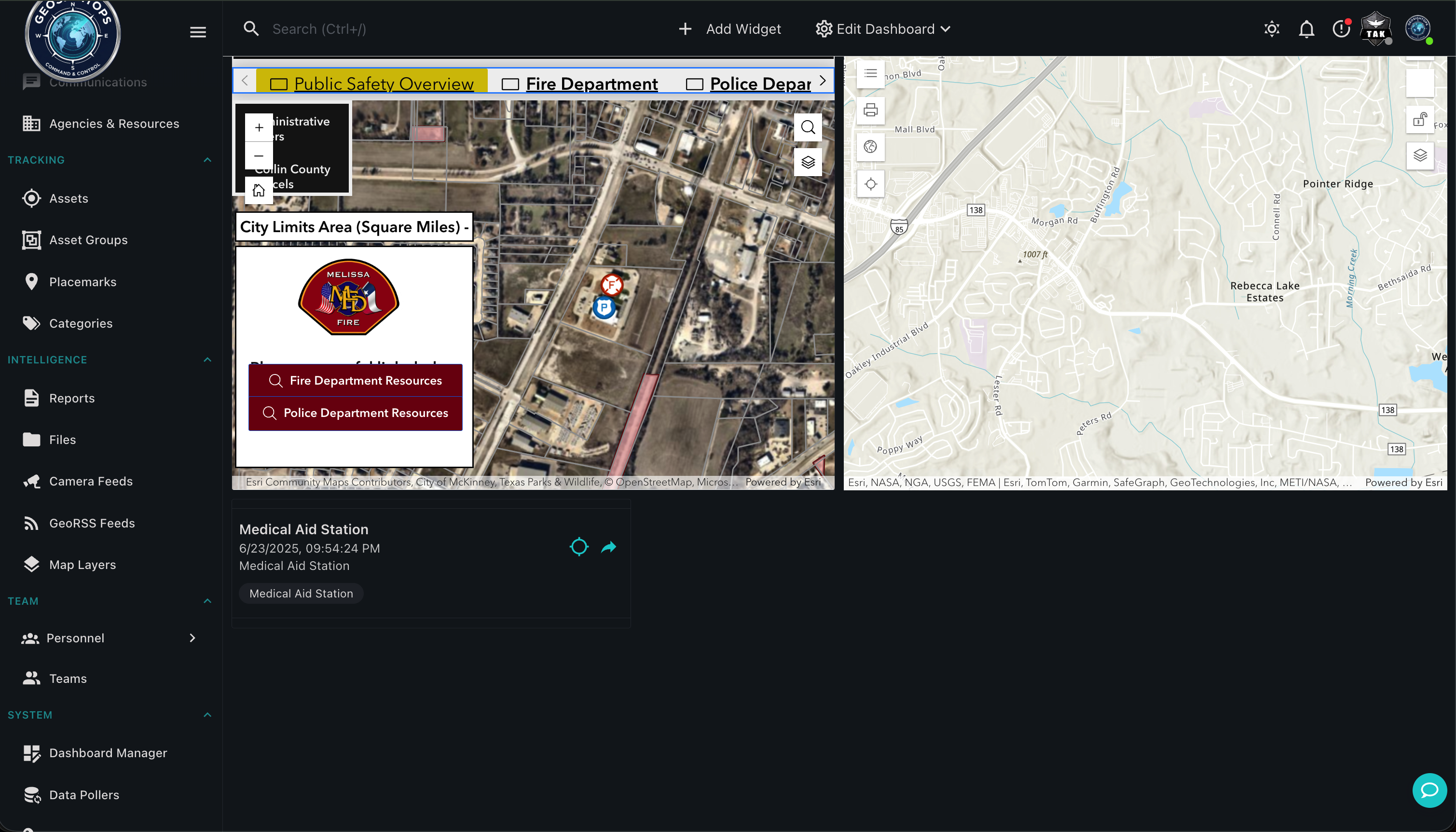
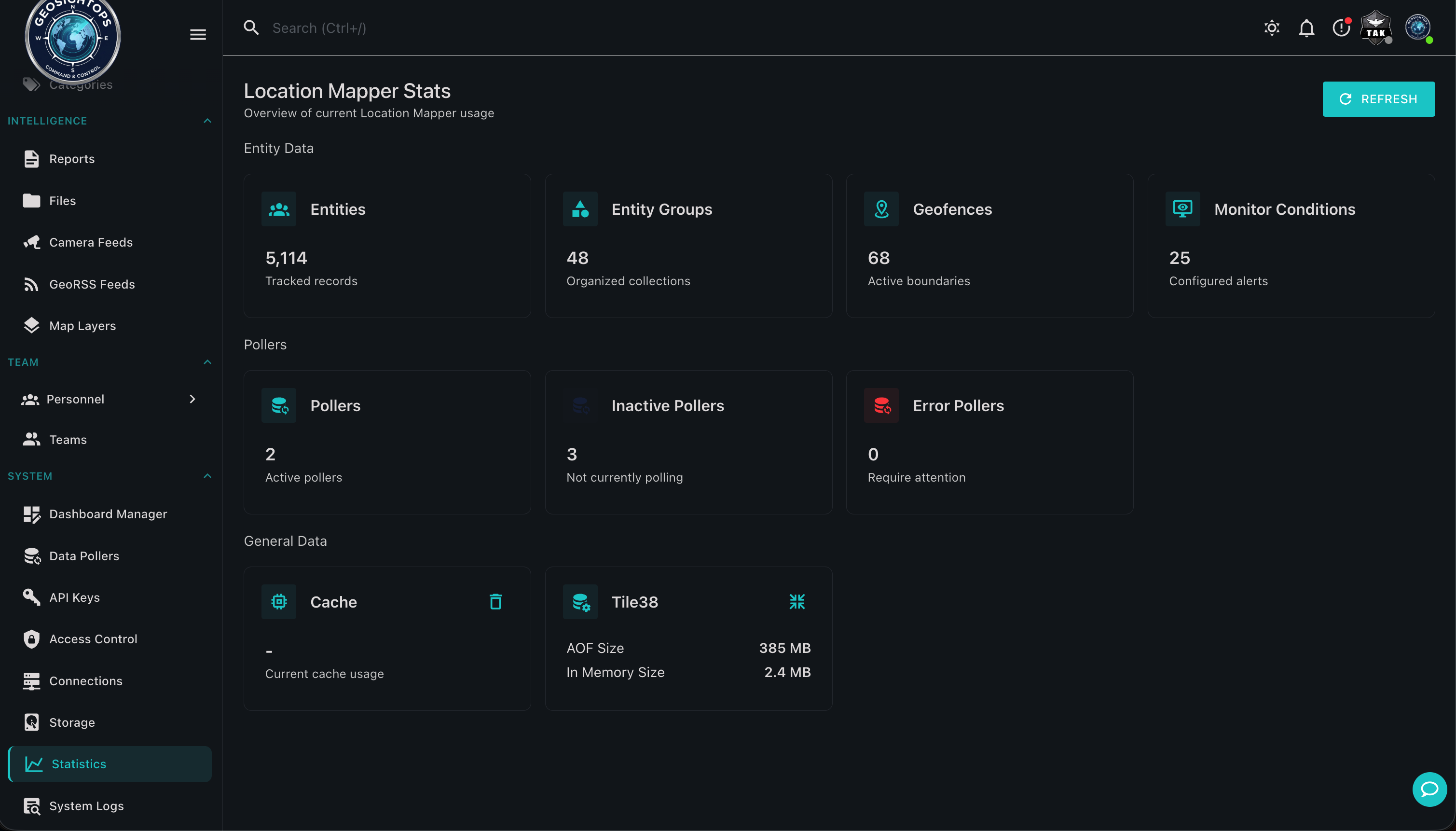
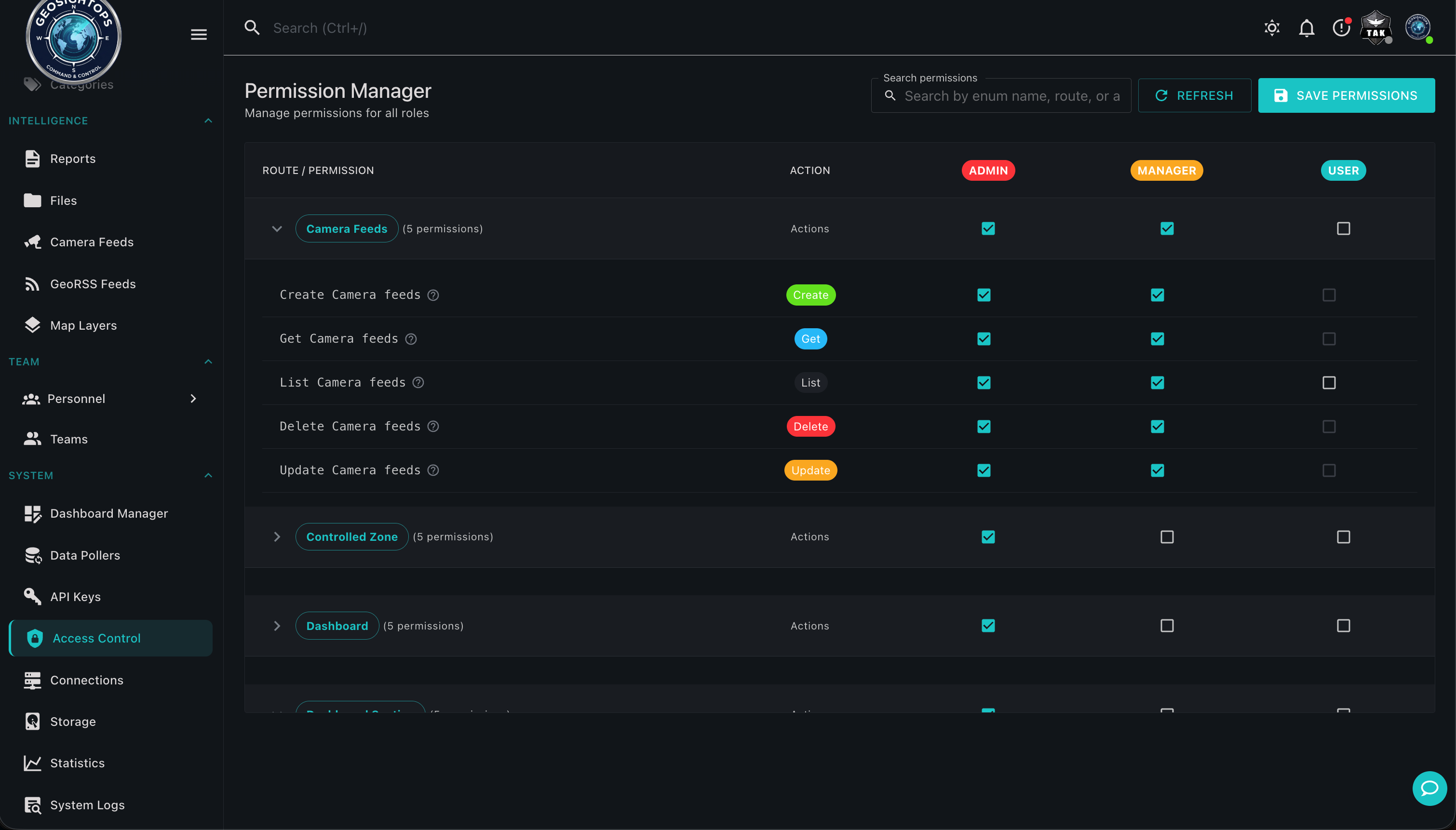
Dashboard
Stats
Roles

Custom operator dashboard

Layouts & live stats

Dashboards are built in the same desktop product operators already trust for the map.

  • Configurable widgets for C2 workflows
  • Live counts and KPIs beside the COP
  • Save layouts for roles and shifts

Roles & permissions

Agency roles decide who can view and edit dashboards and data.

  • Role-based access controls
  • Agency-aware visibility patterns
  • Least-privilege operational views
Custom integrations via webhooks

Connect third-party systems through webhook configuration and the GeoSightOps API-first architecture — without replacing the tools you already run.

Ready to see GeoSightOps in action?

Schedule a live demo and we’ll show how incident workflows fit your systems.